Product Strategy · UX/UI Design · Service Design · K-12 EdTech · IllustrationDesigning at the intersection of learning, technology, and creativity.
01 — A little about meBased in Dublin, Ireland, I have over 5 years of experience working across product design and strategy, creating innovative learning experiences that support teachers and help students thrive. My background in teaching and my work as a published children’s book illustrator bring a unique perspective to how I approach learning, storytelling, and design— exploring how AI can become a creative partner while keeping people at the heart of the experience.
Selected UX work
02 — Case StudiesDesigning for Ecosystem Discovery and Adoption in EdTech
HMH Performance Suite is a collection of instructional, assessment, and learner-growth tools used by educators nationwide. Although teachers actively used these capabilities, many were unaware they belonged to a broader ecosystem.
I investigated adoption barriers, mapped how teachers experienced the ecosystem, and identified opportunities to improve feature discovery, product understanding, and perceived value. Rather than focusing on individual features, I explored how the broader product experience could influence awareness, engagement, and long-term adoption.
HighlightUX strategy and service design for products supporting 900k+ students
Teacher journey and ecosystem experience audits
Cross-functional collaboration across product, platform, onboarding, and customer experience teams
Opportunity identification focused on awareness, discovery, and adoption
Future-state concepts aligned with platform roadmap initiatives

Improving Student Engagement Through Instructional Objects & Routines
Teachers were spending excessive time stitching together lessons from overwhelming content libraries — opening 10+ tabs, screenshotting materials, creating their own slides, and losing instructional flow. I led the design of interactive, standards‑aligned instructional objects that made whole‑class instruction more engaging, predictable, and efficient across the HMH ecosystem.
HighlightInteractive routines that boost participation and collaboration
Standards‑aligned activities embedded directly into each object
Consistent interaction models across grade bands and content areas
Cross‑device teacher + student views for real‑time instruction
Cross‑functional collaboration with learning design, UI, AV, product, and engineering
From → ToOverwhelming content → Ready‑to‑teach sessions
Disconnected resources → Program‑wide lesson plans
Teacher‑assembled lessons → Reusable instructional objects + real‑time insights

Creating Classroom Management Tools for Focus & Flow
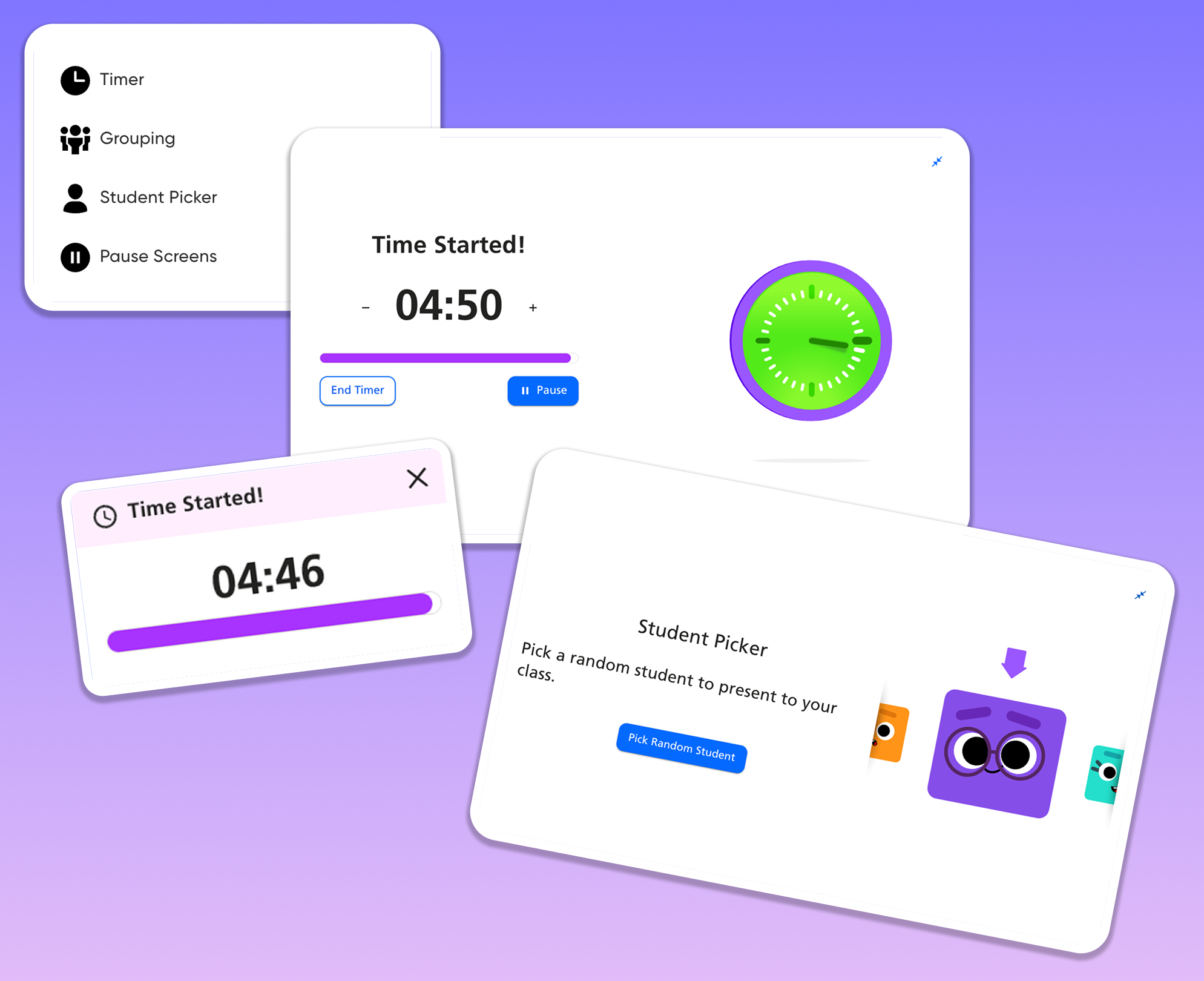
Teachers often lose instructional momentum managing transitions, keeping students on task, and maintaining classroom flow. I designed connected classroom‑management tools across teacher and student screens — including the Timer, Stopwatch, Student Picker, Volume Meter, and Calculator — to reduce friction and support smoother live instruction.
At a glance Reducing friction — simple tools that minimize disruption
Supporting pacing — timers and stopwatches that keep lessons flowing
Boosting participation — equitable engagement through student selection
Cross‑device consistency — unified experience across teacher + student screens
03 — Children’s PublishingIllustrated Worlds
Alongside my work in product design, I’m a freelance illustrator specializing in children’s publishing. I collaborate with publishers, editors, and art directors to create visual stories that bring ideas to life and connect with young readers.


